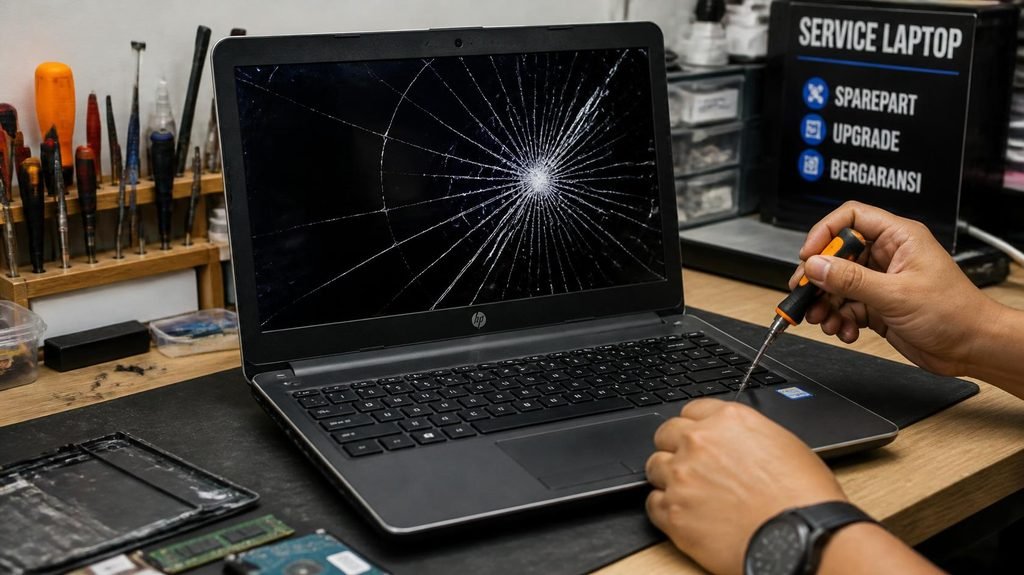
Your laptop screen just cracked, or your phone took a swim. The repair shop says $180. A shiny replacement whispers $600. Everyone in this story — the shop, the store, the manufacturer — profits from your panic.
Here are the four rules that turn this decision from a gut-feeling gamble into arithmetic. Real price ranges included.
Rule #1: The 50% Rule (the master rule).
If the repair costs more than 50% of the device’s current value — not what you paid for it, what it’s worth today — replace it.
Example: your laptop cost $900 three years ago. Today, used, it sells for $300. A $180 screen repair is 60% of its current value. That money buys a fraction of a dying machine’s life. The laptop graveyard is full of $180 mistakes.
The reverse: a two-year-old phone worth $400 with a $120 screen? Repair. Obviously.
(Find current value in 60 seconds: check “sold listings” for your model on eBay — not asking prices, sold prices. That’s the real number.)

- POWERFUL FOR CREATIVITY – The Dell Precision 7000 series stand at the top of the Precision lineup, delivering higher per…
- HIGH PERFORMANCE – Powered by Intel Core i9-13950HX vPro Processor (up to 5.5GHz) with integrated Intel UHD Graphics for…
- CRISP DISPLAY – The 16″ FHD+ (1920 x 1200) anti‑glare display delivers sharp, vivid visuals for professional work. Suppo…
Rule #2: The Age Rule (the domino effect).
Past ~5 years old, be suspicious of any repair. Old devices fail in clusters: you fix the screen, then the battery goes, then the charging port. Parts also get scarce — shops charge more to hunt down components for discontinued models. One repair on a 3-year-old device: fine. On a 7-year-old device: you’re usually feeding a machine that has two more failures queued.
Rule #3: The Battery Exception (almost always worth it).
Batteries are the one component that dies by chemistry, not by fault — every battery ages, no matter how careful you are. And the repair is cheap relative to the transformation: a $50–90 phone battery or $40–100 laptop battery routinely makes the device feel new.
This is the highest-value repair in consumer tech — especially since a tired battery also makes phones secretly slower, as we explain in the phone battery myths guide. Before replacing any slow device, check the battery health first. It’s the $60 fix wearing a $900 costume.
Rule #4: The Data Question.
Any repair quote comes with an invisible asterisk: what happens to your data? Screen and battery repairs usually touch nothing. Motherboard repairs and “water damage cleaning” often arrive with a factory reset attached. If the device holds anything precious — photos, tax files, that novel — factor backup (or data-recovery fees, which can exceed $300) into the decision before you nod.
Real-world price ranges (independent shops, typical):
- Phone battery: $50–90 (manufacturer: $70–120)
- Phone screen: $80–250 depending on model — flagship OLED screens are the expensive ones
- Laptop battery: $40–100
- Laptop screen: $60–150
- Charging port (phone or laptop): $50–100
- Keyboard (laptop): $40–80
Get the quote before deciding anything — many shops diagnose free, and a quote turns panic into math.

- 【Reliable Performance for Daily Productivity】Powered by the Pentium Gold 6500Y processor with speeds up to 3.4GHz, this …
- 【12GB RAM & Responsive SSD Storage】Equipped with 12GB RAM and a 128GB SSD, this 15.6 inch laptop provides responsive mul…
- 【15.6″ Full HD IPS Display】Enjoy clear visuals on the 1920 x 1080 FHD IPS display with wide viewing angles and sharp ima…

- RELIABLE PROCESSOR: Powered by AMD Ryzen R5, Featuring 4-core 8-thread design, 2.00 GHz base frequency and 3.60 GHz max …
- 15.6 INCH HD SCREEN & ULTRA PORTABLE BODY: Features 15.6 inch high definition screen for clear daily viewing experience …
- FULL SIZE KEYBOARD: Built in full size keyboard with independent numeric keypad equipped with backlight design for dark …

- Portable Lightweight Design: Weighing just 3.6 lbs, the Laptop S7HI is portable, making it perfect for travel, work, and…
- Powerful Processor: With a base frequency 1.9GHz Intel 5205U processor, this laptop handles multiple tasks efficiently. …
- Ample Storage with Expansion: 128GB of internal storage with an extra 512GB expansion slot offers plenty of room for you…
The “$40 miracle” most people never hear about:
A huge share of “dying” old laptops aren’t broken at all — they’re running on spinning hard drives. The symptoms (eternal boot times, programs crawling) get misread as “the laptop is dying.” A 30-second check reveals the truth, and a $30–50 SSD swap revives the machine so dramatically it’s the single best repair-per-dollar in computing. The full explanation is in our SSD vs HDD guide — check that before paying anyone anything.
When repair is a trap (three bright lines):
- Water damage. “Cleaning” fees ($80–150) come with no guarantee — corrosion continues invisibly for weeks. A water-damaged device is a coin flip; treat any quote accordingly.
- Motherboard quotes on cheap devices. A $200 motherboard repair on a $300 laptop violates Rule #1 twice.
- Glue-shipped designs. Some modern devices are deliberately repair-hostile — batteries glued in, parts serialized to refuse third-party swaps. Before repairing anything premium, search “your model + repair” and see if independent shops even can.
The decision, compressed:
- Battery tired? → Repair. Always the best math.
- Screen cracked on a device < 3 years old worth $300+? → Repair.
- Quote > 50% of today’s value, or device > 5 years old? → Replace.
- Device just slow, not broken? → Stop. Run the free revival checklist first — half of “broken” laptops are just full, dusty, or running on a spinning drive.

- Powerful Torque, Precise Control: With up to 0.6N.m torque and a 270RPM NeoPulse motor, the Fanttik E2 Ultra makes preci…
- Extended Power, Easy Charging: With an 800mAh rechargeable battery, it lasts 2.3 times longer than the E1 MAX, minimizin…
- RevoStor Magnetic Storage: The pop-up mechanism brings you enjoyment with every open and close of the case. Aluminum all…
The repair-or-replace decision isn’t about loving your device or embracing the new one. It’s about knowing today’s value, the real quote, and the one exception — and letting the arithmetic decide while everyone else pays for panic.
Disclosure: This post contains affiliate links. If you click through and make a purchase, we may earn a small commission at no extra cost to you. We only recommend products we genuinely believe offer great value.