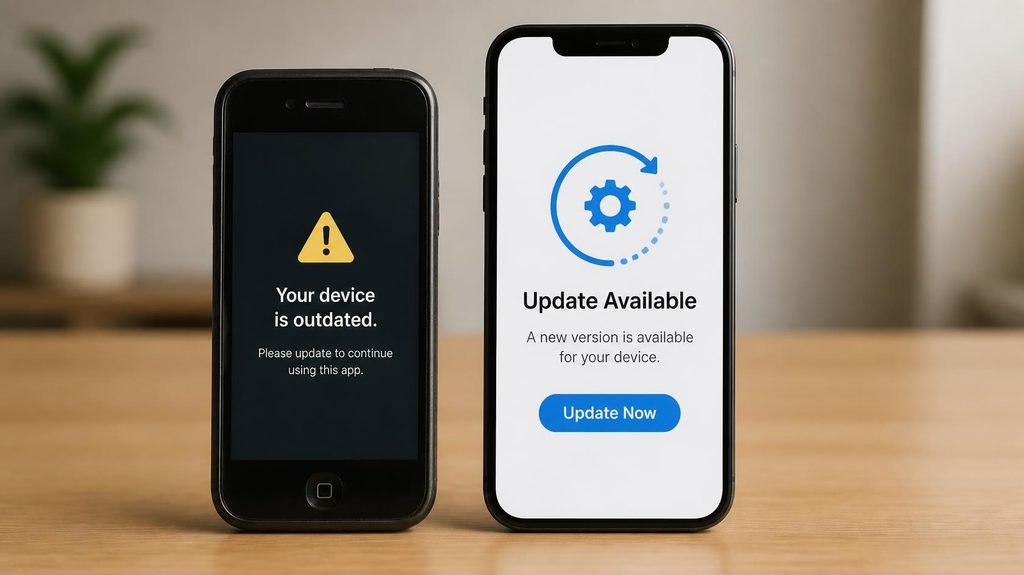
Your phone works perfectly. Battery’s fine, screen’s fine, nothing is broken. Then one day your banking app refuses to open: “This app requires a newer version of the operating system.”
Nothing died. But something ended: your phone silently passed its expiration date — the day the manufacturer stopped sending updates. This date is more important than any spec on the box, and almost nobody knows when theirs is.
What updates actually are (two different things):
- Security patches: small, invisible, monthly. They close holes that criminals discover in the phone’s software. This is the important one.
- OS upgrades: the big yearly versions (Android 15, iOS 18) with visible new features.
When people say a phone “no longer gets updates,” they usually mean both stopped — and the security clock is the one that matters.

- Google Pixel 10a is a durable, everyday phone with more[1]; snap brilliant photography on a simple, powerful camera, get…
- Unlocked Android phone gives you the flexibility to change carriers and choose your own data plan; it works with Google …
- Pixel 10a is sleek and durable, with a super smooth finish, scratch-resistant Corning Gorilla Glass 7i display, and IP68…
Why companies stop at all:
Not (only) evil — economics. Every phone model needs a team of engineers maintaining software for its exact chip, camera, and modem, forever. Support windows are a budget line. New phones get the engineers; old phones get a retirement party. (An admirable exception exists: niche “long-life” phone makers now promise 8+ years — proof it’s a choice, not physics.)
The real numbers (and a trap hidden in them):
- iPhones: roughly 6–7 years of updates — historically the longest support in the industry.
- Flagship Androids (recent generations): 7 years now promised by the big names — a genuinely recent change, and a big deal.
- Budget Androids ($150–300): often just 2–4 years, sometimes less.
That last line is the hidden cost of cheap phones: a $200 phone that loses security updates in year three has a realcost-per-year that rivals a flagship. The sticker price lied; the update clock told the truth.
What actually happens when updates stop — the three stages:
Stage 1: No more security patches (the silent danger). Nothing visible happens — that’s what makes it dangerous. Every month, newly discovered holes in your phone’s software stay unfixed forever. The phone doesn’t get less safe in one moment; it accumulates risk like an unpaid debt.
Stage 2: Apps start leaving (the visible annoyances). Banking apps go first — they have strict security requirements. Then messaging apps, then streaming, then that game your kid plays. Each departure is a small funeral.
Stage 3: The services degrade. Eventually features stop authenticating, backups fail, and the phone becomes a camera with WiFi.
Does an unsupported phone become unusable? No — do the risk math instead:
The honest question isn’t “how old is it?” but “what do I do on this phone?“
- Banking, saved passwords, work email on it? → The risk math says replace once patches end.
- A spare device, a music player for the gym, a kids’ camera on WiFi? → Fine for years more. Stage 1 risk on a device holding nothing sensitive is a shrug, not a crisis.
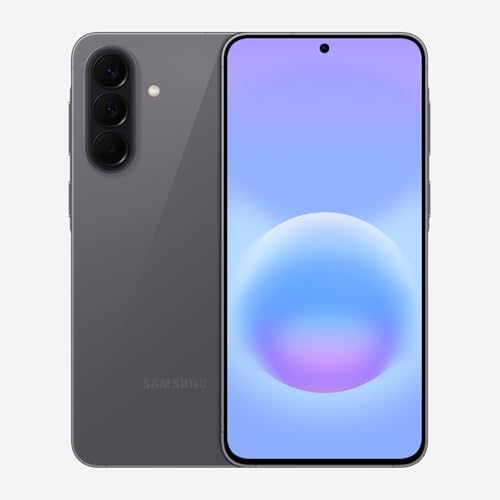
- ELEVATED DESIGN. EVERYDAY EASE: Galaxy A57 5G features the best of A Series design that’s lighter, slimmer¹ and made to …
- A VIVID VIEWING EXPERIENCE: Dive deeper into your content with the Super AMOLED Plus display² on Galaxy A57 5G that feat…
- SNAP IT. LOVE IT. SHARE IT: The triple-lens camera on Galaxy A57 5G lets you capture everything from low-light videos wi…
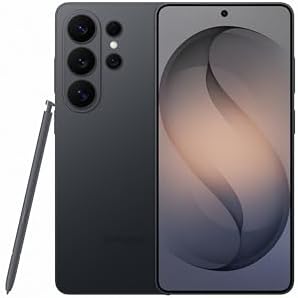
- PRIVACY DISPLAY: Automatically hide your screen from those beside you. The built-in privacy display can be preset¹ to tu…
- TYPE IT IN. TRANSFORM IT FAST: Enhance any shot in seconds on your smartphone by using Photo Assist² with Galaxy AI.³ Ad…
- NIGHTS, CAPTURED CLEARLY: From gigs to city lights, record and capture moments after dark with clarity using Nightograph…

- TYPE IT IN. TRANSFORM IT FAST: Enhance any shot in seconds on your smartphone by using Photo Assist¹ with Galaxy AI.² Ad…
- MAKE IT. EDIT IT. SHARE IT: Turn everyday moments into something personal with creative tools built right into your mobi…
- FAST. POWERFUL. AI-READY: Power through your day with AI-accelerated performance from our fastest, smoothest and most po…
The cruel tradeoff nobody explains:
Updates make old phones slower (new software, old chip — one of the real reasons phones feel sluggish over time) while making them safer. Skipping updates keeps the phone fast but accumulates the security debt. There’s no free lunch — only the informed choice between them.
How to check your own expiration date (5 minutes):
- iPhone: Settings → General → Software Update. If it offers you the latest iOS version, you’re supported. If it offers nothing and a newer iOS exists — you’re living on borrowed time.
- Android: Settings → About Phone → look for the “Android security patch” date (tells you when the last patch landed), then search your model + “security updates until” — manufacturers publish end dates.
Buying a used phone? This date is a price factor. A two-year-old flagship with five years of updates left is a better buy than a one-year-old budget phone with eight months left. Ask before paying.
And when the clock truly runs out:
Two dignified exits. Either pass it on honestly (factory wipe first — our step-by-step guide for selling devices covers the locks and the authenticator trap), or repurpose it: a dedicated gym music player, a smart-home dashboard, a dashcam, a kid’s camera. An unsupported phone with no banking apps on it has plenty of life left in the right job.
The bottom line: a phone’s real lifespan was never its battery or its screen — it’s the day the last security patch ships. Buy the phone with the longest clock you can afford, and when you hear the clock stop, you’ll know exactly what to do.
Disclosure: This post contains affiliate links. If you click through and make a purchase, we may earn a small commission at no extra cost to you. We only recommend products we genuinely believe offer great value.