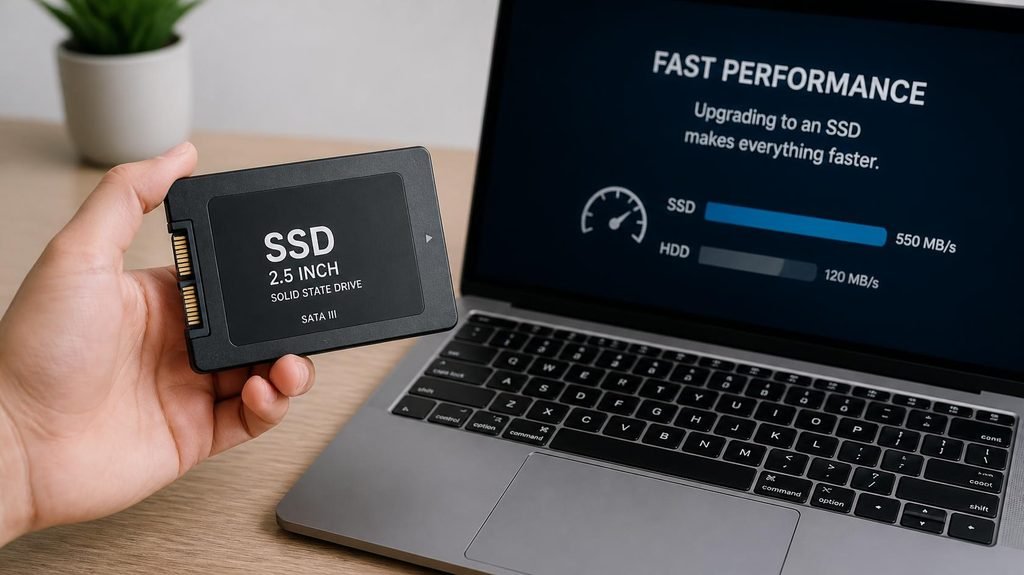
We’ve made the case before: the single best repair in computing is swapping an old laptop’s spinning hard drive for an SSD — same machine, 10-second boots. This is the shopping guide for that upgrade. But buy in this order, because the #1 mistake isn’t the brand — it’s buying the wrong shape.
Step 1: Find out which SSD type your laptop takes (2 minutes, before you spend anything)
There are three shapes, and they are not interchangeable:
- 2.5-inch SATA — looks like a small flat rectangle. The standard in almost all laptops older than ~2016. This is the type most “slow old laptop” owners need.
- M.2 SATA — a gum-stick sized stick, common in thin laptops 2016–2020.
- M.2 NVMe — the same gum-stick shape but much faster, in laptops from ~2018 onward.
How to check without opening anything: search your exact laptop model + “SSD type” — the spec sheet lists it. Or run Crucial’s free System Scanner tool, which reads your machine and tells you exactly what fits. Two minutes, zero risk, no wrong purchases.
The picks (all three are 2.5-inch SATA — the old-laptop standard; each also has M.2 versions if your scanner says so):
1. Crucial MX500 500GB
The drive that made “budget SSD upgrade” a household phrase. Crucial is a memory manufacturer (not a marketing company), and the MX500 is the pick the entire repair industry recommends by default: proven endurance, a 5-year warranty, hardware encryption, and consistent speeds that don’t collapse when the drive fills up.
The catch: sometimes out of stock in the 500GB size (its popularity is the problem), and its cloning software requires a drive from another brand already installed… see the WD pick below for why that matters.
Best for: the default choice. If you’re unsure, this is the answer.

- 2.5-inch Solid State Drive
- 500GB
2. Samsung 870 EVO 500GB
The fastest mainstream SATA SSD ever made — and SATA is an old interface, so “fastest” here means snappier small-file performance, which is exactly what makes old laptops feel young. The killer included extra: Samsung Data Migration, a free cloning tool that copies your entire Windows installation from the old drive to the new one in one afternoon.
The catch: $10–15 more than the others for performance you’ll feel rather than measure, and the same “which generation is this listing?” confusion plagues its search results.
Best for: buyers who want the best-in-class drive and the smoothest cloning experience in one box.
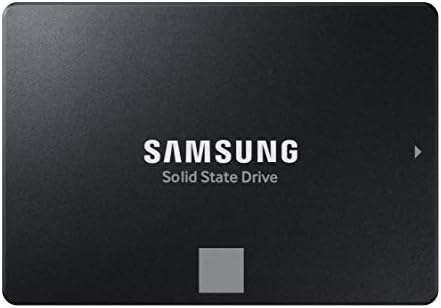
- THE SSD ALL-STAR: The latest 870 EVO has indisputable performance, reliability and compatibility built upon Samsung’s pi…
- EXCELLENCE IN PERFORMANCE: Enjoy professional level SSD performance which maximizes the SATA interface limit to 560 530 …
- INDUSTRY-DEFINING RELIABILITY: Meet the demands of every task — from everyday computing to 8K video processing, with up …
3. WD Blue SA510 500GB
Western Digital’s answer to the MX500, and usually the cheapest of the three. Same 5-year warranty, same proven reliability brand, and it includes a free Acronis True Image license — genuinely excellent cloning software that normally costs money. For the cloning-software reason alone, this is the smartest total-package buy.
The catch: sequential speeds trail the Samsung slightly (you will not notice), and its write endurance rating is a step below the other two (you will also not notice — most people write a fraction of what these drives are rated for).
Best for: the best dollars-to-result ratio, especially first-time upgraders who want the software included free.
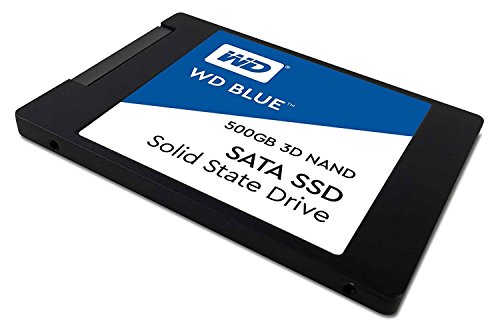
- 3D NAND SATA SSD for capacities up to 4TB with enhanced reliability. | As used for storage capacity, 1 terabyte (TB) = 1…
- Sequential read speeds up to 560MB/s and sequential write speeds up to 530MB/s. | As used for transfer rate or interface…
- An industry leading 1.75M hours mean time to failure (MTTF) (1) and up to 600 terabytes written (TBW) (2) for enhanced r…
One more thing you’ll need: the cloning bridge (~$10)
To copy your old drive to the new SSD without removing anything, you need a USB-to-SATA adapter — a $8–12 cable that turns the new SSD into a temporary external drive while the cloning software does its work. Any UGREEN or Anker-branded adapter works; search “UGREEN USB 3.0 to SATA adapter.” Without it, the alternative is a fresh Windows install, which works but costs an evening of reinstalling.
The revival math, one more time: $40–55 for the drive + $10 for the adapter + one free afternoon = a laptop that boots in 10 seconds and opens programs instantly. Against $600+ for a replacement machine, it’s the highest-value repair in consumer tech — check your drive type tonight, order the right shape, and give that old laptop five more years.
Disclosure: This post contains affiliate links. If you click through and make a purchase, we may earn a small commission at no extra cost to you. We only recommend products we genuinely believe offer great value.

