It happens every December: millions of people unwrap a new phone, spend the morning admiring it — and then hit the wall. “Wait… how do I move my photos? My WhatsApp? My authenticator codes?” The panic-setup that follows is how people lose data, miss steps, and spend three hours on what should take thirty minutes.
Here’s the complete playbook, covering every combination. But first, the golden rule:
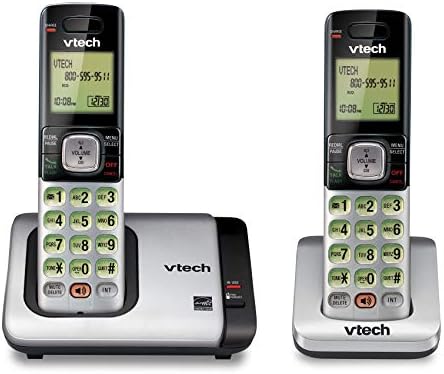
- Full Duplex Handset Speakerphone- Enjoy a speakerphone that can keep up with your calls; Increase participation by allow…
- Caller ID/Call Waiting- Know who’s calling with Caller ID/Call Waiting; Handset displays the name, number, time and date…
- Backlit Keypad and Display- The entire keypad illuminates along with the LCD screen, allowing for easier viewing in dim …
The Golden Rule: The transfer happens during SETUP, not after.
When you first power on a new phone, the welcome screens offer migration tools. After you finish setup, some of those tools disappear forever. Don’t rush past the welcome screens — that’s where the moving truck is parked.
Pre-flight checklist (both phones, 5 minutes):
- Charge both phones past 50%.
- Get both on the same WiFi.
- Know your OLD phone’s screen-lock password — encrypted backups refuse to restore without it. (The #1 “why won’t it work?!” call to support lines.)
- Don’t throw away, sell, or reset the old phone yet. Not until the end of this article.
Scenario A: iPhone → iPhone (the easy one, ~15 minutes)
Apple’s Quick Start: turn on the new iPhone, place it next to the old one, and a prompt appears on the old phone. Follow it — the phones talk directly, and your new iPhone offers to copy apps, settings, photos, WiFi passwords, even your app layout.
What moves: almost everything. What doesn’t: banking apps force a re-login (by design, for security — expect it, don’t panic), and music synced from an old computer needs one more sync.
Scenario B: Android → Android (~15 minutes)
Sign into your Google account during the new phone’s setup — that’s the whole trick. Contacts, calendar, apps list, and WiFi restore automatically from your Google backup. Photos were already synced if Google Photos backup was on (if you’re unsure what “backed up” actually means, our cloud storage explainer is the 3-minute read that prevents disasters).
Many brands (Samsung Smart Switch, Pixel’s cable transfer) also offer a direct old-phone-to-new-phone copy during setup — take it when offered.
Scenario C: Cross-platform (the one everyone fears)
Android → iPhone: Apple ships a dedicated app called Move to iOS. Install it on the old Android; it wirelessly moves contacts, photos, messages, and more during the new iPhone’s setup.
iPhone → Android: Install the Google One app on the old iPhone — it backs up photos, contacts, and calendar to your Google account. Sign into the new Android; everything flows in.
The cross-platform manual checklist (the stuff the tools miss):
- Authenticator codes — migrate the authenticator app FIRST, before anything touches the old phone. This is the #1 disaster of phone-switching season: wipe the old phone, then discover your banking codes lived on it. (If this is news to you, our 2FA guide explains why this app is the crown jewel to protect.)
- WhatsApp — it has its own built-in chat-transfer tool in Settings → Chats. Run it while both phones are alive; chat history does not ride along with normal backups across platforms.
- Photos — install Google Photos on the old phone, let it back up, and they appear on the new one regardless of platform.
- Music — in the streaming era, you just sign in. Old local MP3s: copy them to a computer or Drive first.
- Smartwatch & car — both need re-pairing to the new phone. Expected, not a malfunction.
- eSIM — contact your carrier or use their transfer tool before cancelling anything.
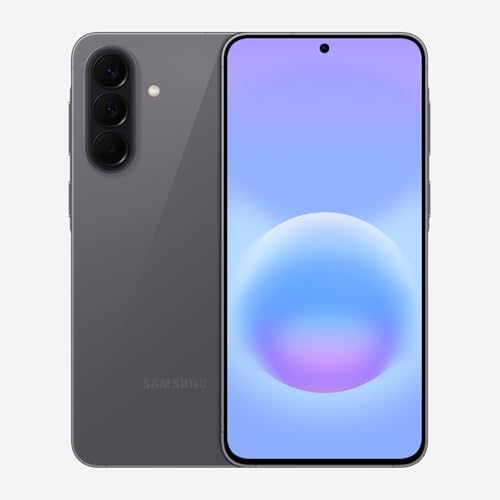
- ELEVATED DESIGN. EVERYDAY EASE: Galaxy A57 5G features the best of A Series design that’s lighter, slimmer¹ and made to …
- A VIVID VIEWING EXPERIENCE: Dive deeper into your content with the Super AMOLED Plus display² on Galaxy A57 5G that feat…
- SNAP IT. LOVE IT. SHARE IT: The triple-lens camera on Galaxy A57 5G lets you capture everything from low-light videos wi…
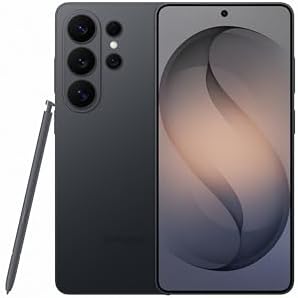
- PRIVACY DISPLAY: Automatically hide your screen from those beside you. The built-in privacy display can be preset¹ to tu…
- TYPE IT IN. TRANSFORM IT FAST: Enhance any shot in seconds on your smartphone by using Photo Assist² with Galaxy AI.³ Ad…
- NIGHTS, CAPTURED CLEARLY: From gigs to city lights, record and capture moments after dark with clarity using Nightograph…

- TYPE IT IN. TRANSFORM IT FAST: Enhance any shot in seconds on your smartphone by using Photo Assist¹ with Galaxy AI.² Ad…
- MAKE IT. EDIT IT. SHARE IT: Turn everyday moments into something personal with creative tools built right into your mobi…
- FAST. POWERFUL. AI-READY: Power through your day with AI-accelerated performance from our fastest, smoothest and most po…
The verification pass (don’t skip this):
Before anything else happens to the old phone: photo count matches? WhatsApp chats present? Authenticator codes working on the new device? Then — and only then — wipe the old phone properly. And “properly” has a specific order with traps in it (account locks, the works): our 7-step wipe guide covers it end to end.
One safety habit worth the hassle: keep the old phone untouched in a drawer for one week after switching. Every holiday season, someone discovers a missing something on day four. The drawer is your undo button.
Buying the phone as a gift for someone else? Holiday season is also peak refurbished-phone season. If “new” is actually renewed, run the condition decoder first — and check how many years of updates that model has left. A phone’s real expiration date is its last security patch, not its battery.
Disclosure: This post contains affiliate links. If you click through and make a purchase, we may earn a small commission at no extra cost to you. We only recommend products we genuinely believe offer great value.