
A slow phone feels like a plot — like someone planned it so you’d buy a new one. Sometimes upgrading is genuinely right. But before you spend $1,000, know this: most phone slowdowns come from five fixable causes, and four of them cost nothing.
Reason 1: Your storage is almost full.

- Google Pixel 10a is a durable, everyday phone with more[1]; snap brilliant photography on a simple, powerful camera, get…
- Unlocked Android phone gives you the flexibility to change carriers and choose your own data plan; it works with Google …
- Pixel 10a is sleek and durable, with a super smooth finish, scratch-resistant Corning Gorilla Glass 7i display, and IP68…
Phones need free space to think. When storage passes ~90% full, the system can’t manage temporary files and everything stutters — apps, camera, keyboard.
The free fix: Get below 80% full. Offload photos to cloud or computer, delete apps you haven’t opened in months, and clear the cache of your biggest apps. This alone fixes slowdowns surprisingly often.
Reason 2: Your battery is old — and the phone is hiding it.
After 2–3 years (roughly 500 charge cycles), batteries degrade. To prevent random shutdowns, phones quietly throttle their own performance to match the weakened battery. Your phone isn’t broken — it’s protecting itself. This became famous in 2017 when Apple admitted doing it and offered discounted battery replacements as an apology.
The cheap fix: Check your battery health. On iPhone: Settings → Battery → Battery Health & Charging. Below 80% “maximum capacity” means the battery qualifies for replacement — typically $50–90, versus $1,000 for a new phone. Many people report their phone feeling dramatically faster after a battery swap alone.
Reason 3: Software outgrew your hardware.
Every year, operating systems and apps are updated for that year’s newest chips. Your 4-year-old phone runs software designed for hardware it doesn’t have. This one can’t be fully “fixed” — but you can slow the decline: on older phones, consider skipping major OS upgrades and keeping app updates moderate. The version your phone shipped with was tuned for it.
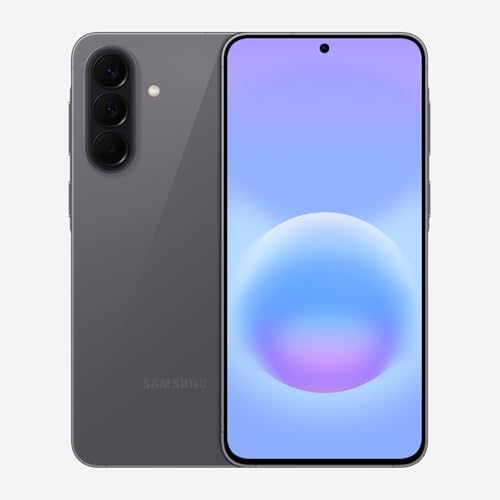
- ELEVATED DESIGN. EVERYDAY EASE: Galaxy A57 5G features the best of A Series design that’s lighter, slimmer¹ and made to …
- A VIVID VIEWING EXPERIENCE: Dive deeper into your content with the Super AMOLED Plus display² on Galaxy A57 5G that feat…
- SNAP IT. LOVE IT. SHARE IT: The triple-lens camera on Galaxy A57 5G lets you capture everything from low-light videos wi…
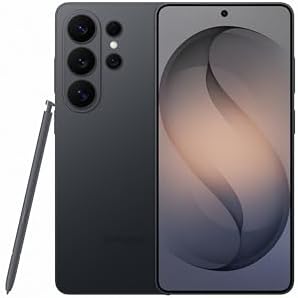
- PRIVACY DISPLAY: Automatically hide your screen from those beside you. The built-in privacy display can be preset¹ to tu…
- TYPE IT IN. TRANSFORM IT FAST: Enhance any shot in seconds on your smartphone by using Photo Assist² with Galaxy AI.³ Ad…
- NIGHTS, CAPTURED CLEARLY: From gigs to city lights, record and capture moments after dark with clarity using Nightograph…

- TYPE IT IN. TRANSFORM IT FAST: Enhance any shot in seconds on your smartphone by using Photo Assist¹ with Galaxy AI.² Ad…
- MAKE IT. EDIT IT. SHARE IT: Turn everyday moments into something personal with creative tools built right into your mobi…
- FAST. POWERFUL. AI-READY: Power through your day with AI-accelerated performance from our fastest, smoothest and most po…
Reason 4: Background apps and bloated cache.
Social media apps, messengers, and email clients refresh constantly in the background, eating memory all day. Combined with months of accumulated cache, your phone wakes up exhausted.
The free fix: Restart your phone weekly (a real restart, not screen-off). Disable background refresh for apps you don’t need it in. It’s basic hygiene — like rebooting a cranky laptop.
Reason 5: New-phone bias (yes, it’s real).
You held a friend’s brand-new phone for two minutes. Suddenly yours feels ancient. Psychologically, we recalibrate to the fastest device we’ve recently touched. Your phone is exactly as fast as the day it felt “plenty fast” — it just has a younger sibling now.
The free fix: Awareness. Benchmarks show many 3–4 year old phones perform identically to their launch day when storage is clear and battery is healthy.
So when is upgrading actually right?
Three honest signals: (1) you’ve cleared storage, replaced the battery, and it’s still slow; (2) your OS no longer receives security updates; (3) the apps you genuinely need won’t install. If two of those are true, upgrade without guilt. Until then — you might be about to pay $1,000 to fix a $50 battery.
Disclosure: This post contains affiliate links. If you click through and make a purchase, we may earn a small commission at no extra cost to you. We only recommend products we genuinely believe offer great value.