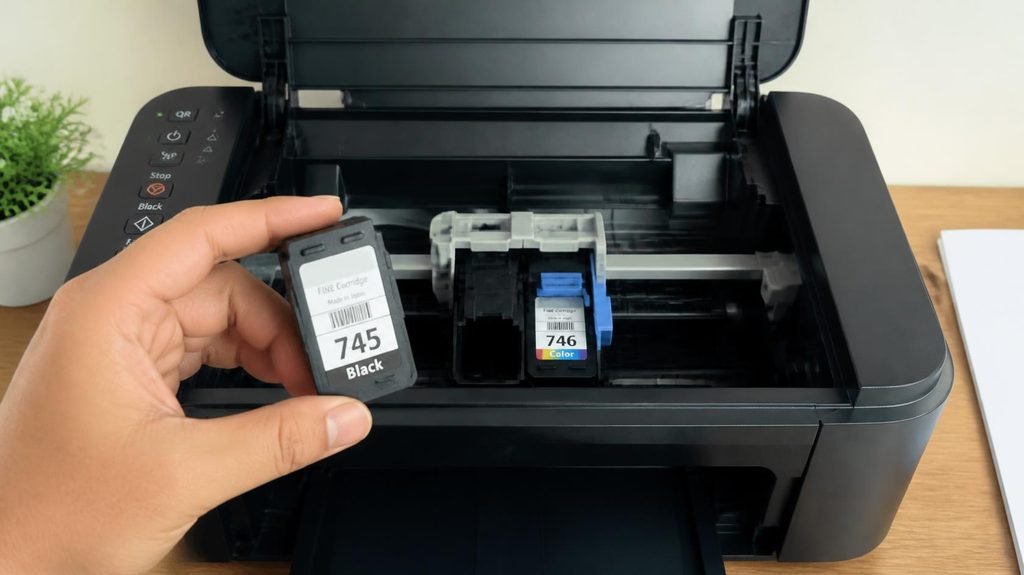
By volume, printer ink costs more than champagne, more than perfume, and thousands of dollars per gallon. That’s not an urban legend — it’s retail arithmetic. So why does a company sell you a printer for $49 and then charge $60 to refill it? The answer explains the entire modern tech economy.
The business model: razors and blades.
In the early 1900s, King Gillette had a problem: nobody would pay much for a razor. His solution: sell the handle cheap, sell the blades forever. Printers run the identical play — the printer is the handle, often sold at or below manufacturing cost, and the ink is the blade. The company isn’t in the printer business. It’s in the ink subscription business, and you signed up without noticing.
The dirty playbook: five tricks that keep the model alive.

- FROM AMERICA’S MOST TRUSTED PRINTER BRAND – Perfect for small teams printing professional-quality black-and-white docume…
- PROFESSIONAL PRODUCTIVITY – Proficiency with every print—bring your business to life with toner designed for sharp, prof…
- UPGRADED FEATURES – Fast printing, scanning and copying, auto 2-sided printing, a 250-sheet input tray and 50-sheet auto…
Trick 1: The “starter” cartridges. That new $49 printer? It ships with cartridges that are roughly half-full — just enough to impress you during setup, empty by month two, driving you to the store while the purchase is fresh.
Trick 2: The expiration chip. Modern cartridges carry chips that report “empty” — and once a chip says empty, it’s empty, regardless of what’s physically inside. Teardown studies repeatedly find “dead” cartridges holding a third of their ink. The chip is a meter that never reads low.
Trick 3: The color hostage. Try printing a black-and-white document when the cyan is out. Many printers refuse — all colors must be “available” even when unused. Your black text is being held hostage by a yellow cartridge.
Trick 4: Firmware wars against third-party ink. Refill and third-party ink would break the model, so manufacturers push printer firmware updates that detect and reject non-brand cartridges. This has repeatedly landed in courts, particularly in the EU — the strategy survives anyway.
Trick 5: Cleaning cycles you never asked for. Inkjets clean their heads by… spraying ink. Sitting idle for a week? The printer quietly runs cleaning cycles, consuming ink you’ll never see on paper. Idle printers are the perfect customers.
The counter-playbook: what actually works.
- If you print mostly text: a monochrome laser printer ends the game entirely. Toner doesn’t dry out, doesn’t clog, doesn’t expire — and the cost per page is a fraction of inkjet. A $150 laser printer paying 2–3¢ per page beats a $60 inkjet paying 15–20¢ within a year of normal use. The real spec to shop for isn’t printer price — it’s cost per page.
- If you print occasionally and in color: official ink subscription programs (where you pay monthly for a page allowance) genuinely flip the economics — with the trade-off that the printer stops printing if you cancel. Read the terms with that in mind.
- If you print rarely: honestly, consider whether you need a printer at all. Libraries and print shops still exist, and an inkjet printing once a month mostly prints its own cleaning cycles.
- Whichever you own: the #1 rule of inkjet ownership — use it or lose it. Ink dries in the nozzles; a weekly one-page print keeps heads alive far better than any repair kit.
The Core Trick: Sell the Handle, Rent the Blades
Printer ink is expensive because the printer itself was never meant to be the profit maker. This is called the razor-and-blades business model — and it works like this:
- The printer is sold cheap — often at a loss. Manufacturers price the hardware low to get it into your home. Industry estimates suggest many budget printers actually cost more to build than their selling price. The company loses money the day you buy it.
- The ink is where they get paid back. Once you own their printer, you are locked in. You can’t use ink from a different brand — cartridges are physically shaped, coded, and chipped to work only with that manufacturer’s devices.
- Every refill pays back the printer. Over the 3–5 year life of your printer, the money you spend on ink is what recoups their loss and delivers steady profit.
HP’s own CEO put it plainly: “We lose money on the hardware. We make money on the supplies.” That is not a conspiracy theory — it is their declared business strategy.


The Honest Math: What You’re Actually Paying For
Let’s look at the numbers. A typical black ink cartridge that retails for $35 contains roughly 5 milliliters of liquid. Work that out by volume, and you’re paying **over $7,000 per gallon** — more expensive than vintage champagne, French perfume, and in some cases, pure gold.
But here is the revealing part: the actual ink inside costs very little to make. Industry insiders estimate the raw liquid ink and packaging cost between $1.50 and $3.00 per cartridge to manufacture. The rest of that $35 price tag pays for something else entirely:
- The microchip on every cartridge — authentication chips that tell your printer: “Yes, this is the real thing.”Third-party or refilled cartridges often get rejected or show error messages because of these chips.
- Firmware locks — several manufacturers have pushed software updates that deliberately block cheaper alternatives. HP settled a $1.5 million lawsuit over this exact practice.
- Patents and legal protection — manufacturers spend fortunes keeping competitors out.
- Marketing, distribution, and profit margins — printing divisions consistently report operating margins of 17% to 20%. For comparison: personal computer divisions run roughly 5% to 6%. The difference? Ink.
You are not paying for ink. You are paying for the lock that keeps you buying their ink.
The Hidden Cost: Half Your Ink Never Even Prints
Here is one more detail almost no one tells you: a shocking amount of ink never reaches the paper.
Your printer spends a surprising portion of every cartridge cleaning itself — tiny maintenance cycles that run automatically when you turn it on, between jobs, or after periods of disuse. Independent testing found that in many everyday-use scenarios, 30% to 50% of your ink is consumed during maintenance — not printing anything at all. Some models reported barely 20% of ink actually made it onto the page.
Worse: many color printers force you to replace cartridges even when one color runs dry — refusing to print black text until you replace all colors. That is not a technical requirement; that is designing for repeat sales.
How to Stop Overpaying (Your Money-Saving Strategy)
Now that you see the model, you can beat it. Here is how to pay less — without sacrificing quality:
Best Long-Term Choice: Tank-Style Printers
Brands like Epson EcoTank, Canon MegaTank, and Brother INKvestment dump the cartridge model entirely. You buy bottles of ink that hold 30–50 times more liquid for roughly the same price as one cartridge. Cost-per-page drops by 90% or more. If you print regularly, this pays for itself within months.
Middle Ground: High-Yield Cartridges
If you already own a cartridge printer, buy XL or High-Yield versions. They cost more upfront but hold 2–3× more ink for roughly double the price. Cost-per-page is 30–40% cheaper. Always buy the bigger one.
Proceed with Caution: Third-Party Cartridges
Cheaper alternatives exist — but chips and firmware updates mean they may stop working overnight. If you go this route, buy from sellers who offer a guarantee and turn off automatic firmware updates on your printer.
One Simple Habit
Don’t turn your printer off and on constantly. Every power-up triggers a maintenance cycle that wastes ink. Leave it on (it uses very little electricity) and let it clean on its own schedule — you’ll get significantly more pages from every cartridge.

- BEST FOR SMALL OFFICES – Combining space-saving efficiency and premium monochrome (black & white) print quality with aff…
- EFFICIENT PRINTING & SCANNING – Produces black & white documents quickly with print speeds up to 36 ppm(2) and scan spee…
- FLEXIBLE CONNECTION OPTIONS – Securely connect to multiple devices with built-in dual-band wireless (2.4GHz / 5GHz), Eth…
Quick Decision Guide
Table
| Approach | Cost-Per-Page | Best For |
|---|---|---|
| Standard OEM Cartridges | Highest | Printing rarely |
| High-Yield (XL) Cartridges | 30–40% cheaper | Regular printing |
| Third-Party / Refilled | ~50–80% cheaper | Tech-savvy users; disable auto-updates |
| EcoTank / Bottle System | 90% cheaper | Frequent printing; BEST VALUE |
And a warning at the checkout:
No product category gets the extended-warranty hard-sell like printers — cheap device, expensive consumables, “protection plan” pitched at peak vulnerability. We ran the honest math on extended warranties separately, and printers make that math worse than average, not better.
The bottom line: expensive ink isn’t an accident of chemistry — it’s the business model. Buy the razor knowing what the blades cost, and you stop getting shaved.
Affiliate link — “Earns commission at no extra cost to you.