Hidden inside your laptop is a decision that affects its speed more than almost anything else — and most people have no idea which side they’re on. It’s the choice between HDD and SSD. Here’s what’s actually different, and why it decides whether your laptop feels fast or ancient.
The mechanical difference (30 seconds of physics):

- THE SSD ALL-STAR: The latest 870 EVO has indisputable performance, reliability and compatibility built upon Samsung’s pi…
- EXCELLENCE IN PERFORMANCE: Enjoy professional level SSD performance with 870 EVO, which maximizes the SATA interface lim…
- INDUSTRY DEFINING RELIABILITY: Meet the demands of every task from everyday computing to 8K video processing, with up to…
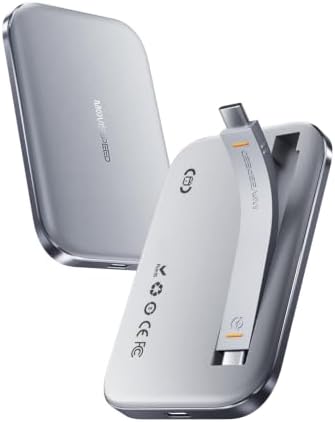
- 0.36‑Inch Slim Design: Featuring an slim body and lightweight construction, this portable external ssd only 0.36 inches …
- Built-In Magnetic Structure: SSD external hard drive adopts magnetic suction technology for firm and stable adsorption. …
- Type C Cable Included: External solid state drives comes with a Type C cable, no need to purchase extra accessories. The…

- BREAKTHROUGH PCIe 5.0 PERFORMANCE: Supercharge your workflow and gaming with PCIe 5.0, boasting up to 14,700/13,300 MB/s…
- EVERY TASK, TURBOCHARGED: Speed past productivity limits. With random read/write speeds up to 1,850K/2,600K IOPS*, enjoy…
- THINK FAST, CREATE FASTER: With random read/write speeds of up to 1,850K/2,600K IOPS*, the 9100 PRO SSD fuels seamless A…
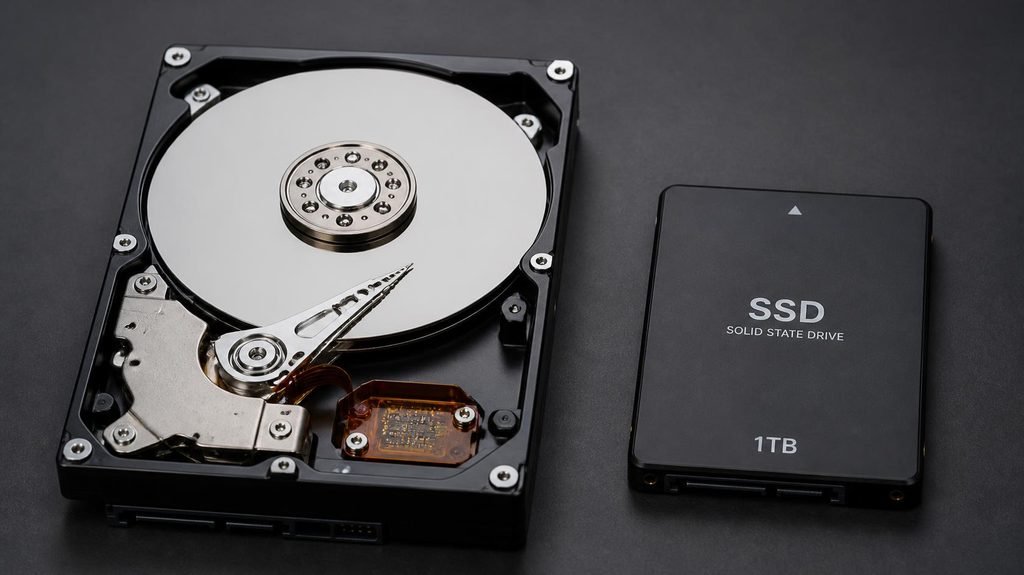
An HDD (hard disk drive) stores data on spinning magnetic platters — physically rotating disks read by a moving arm, like a tiny record player running at 5,400 RPM. Finding data means: wait for the disk to spin and the arm to travel.
An SSD (solid state drive) is pure chips — no moving parts, no waiting. Data is accessed electrically, instantly, the same way your phone’s storage works.
That single difference explains everything below.
What it means in real life:
- Booting Windows: HDD ~40–60 seconds. SSD ~10–15. Every single day.
- Opening programs: an HDD hunts around the disk (a spinning beach ball of lag); an SSD opens in a blink.
- Copying a 10GB file: several minutes vs seconds.
- Noise and fragility: HDDs click and hum — and because they’re mechanical, drops kill them. SSDs are silent and shrug off bumps.
The one thing HDDs still win: price per gigabyte.
HDD storage costs roughly 3–4 times less per GB than SSD. That’s why massive 4–8TB drives for backups and archives are still hard drives — for pure bulk storage that’s rarely accessed, cheap wins.
But for the drive your system runs on — Windows, apps, your working files — an HDD is a bottleneck no amount of RAM or processor can overcome. A $1,200 laptop with an HDD feels slower than a $400 laptop with an SSD. That’s not an exaggeration; it’s the single most lag-causing component in old machines.
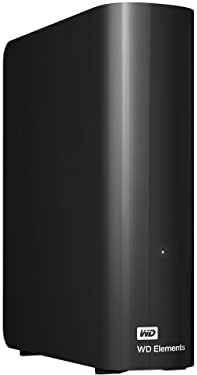
- High-capacity add-on storage.Compatibility : Windows 10 plus, Reformatting required for use with MacOS.
- Fast data transfers
- Plug-and-play ready for Windows PCs
The $40 revival (the part almost nobody knows):
Most laptops made before ~2016 shipped with hard drives — but nearly all of them can swap that HDD for a small SSD. The operation: clone your drive (free software exists for exactly this), unscrew the back panel, swap one small box, done. Total cost: an SSD of 250–500GB has hovered around $30–50 for years.
The result transforms the machine: the same laptop, same RAM, same processor — suddenly boots in 12 seconds and opens programs instantly. For families with an “unusably slow” old laptop, this is routinely the highest-value repair in computing.
How to tell what your laptop has (without opening it):
Windows: press Ctrl + Shift + Esc → Performance tab → Disk. If the right side says “HDD,” that’s a spinning drive; “SSD” is the modern kind. (Same screen where you’d check your RAM, by the way.) On Mac: Apple menu → About This Mac → System Report → Storage, and look for the media type.
Quick decision guide:
- Drive for Windows/apps on a budget laptop: SSD, always. Even a small one.
- 3TB of family photos and backups that’s rarely touched: HDD is fine and cheaper.
- Old laptop that became painfully slow: check its drive type before blaming the laptop. If it’s an HDD, the $40 swap is the cure — a slow drive, not an old computer, is often the real diagnosis.
The bottom line: capacity is what HDDs sell; speed is what SSDs deliver — and speed is what your hands feel every single day.
Disclosure: This post contains affiliate links. If you click through and make a purchase, we may earn a small commission at no extra cost to you. We only recommend products we genuinely believe offer great value.