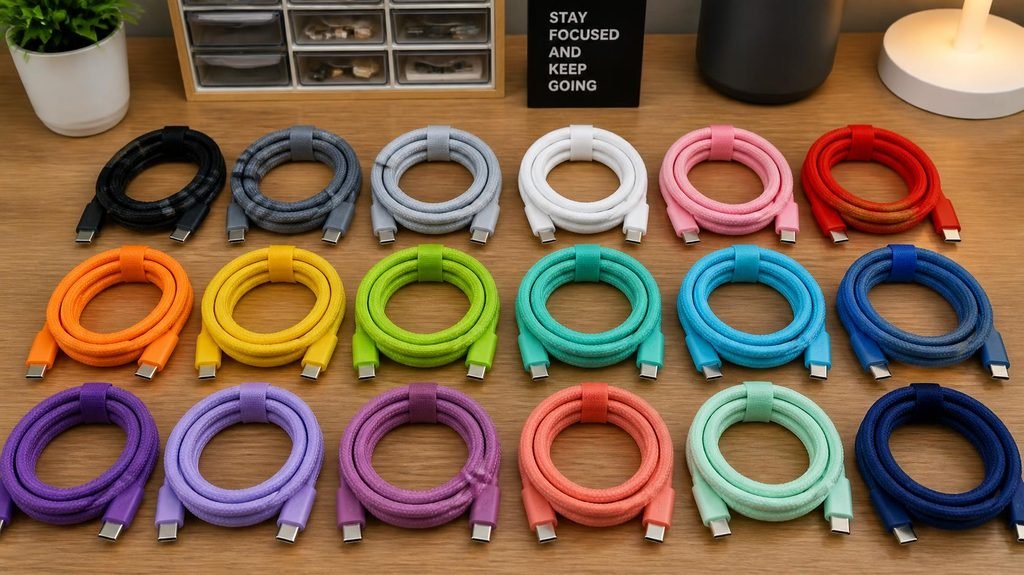
USB-C was supposed to end cable confusion: one connector for everything, finally. Instead, we got the strangest situation in tech — a drawer full of identical-looking cables where one charges your laptop in an hour, one takes five hours, and one does nothing but frustrate.
Here’s the missing dictionary that explains all of it.
The core idea: USB-C is just the shape.
The oval connector tells you almost nothing about what the cable can do. Behind that identical plug can live wildly different levels of data speed, charging power, and video output. It’s like identical-looking cars — same body, engines ranging from lawnmower to race car.
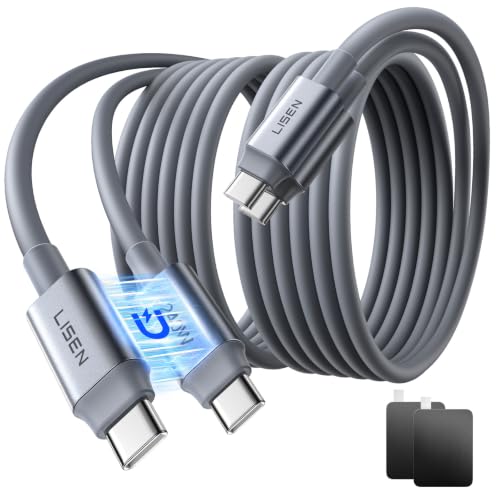
- BEDSIDE ANCHOR: No more fumbling in the dark. Magnetic ends snap together to keep your USB C charging cable anchored on …
- 240W FUTURE: Built with an E-Marker chip, this USB C charging cable delivers 240W (48V/5A) max power. Enjoy Type C charg…
- ALL-IN-ONE ECOSYSTEM: One USB C cable charges AI workstations, gaming laptops, tablets, and phones. No tangled chargers….
Translation key #1: Data speed (the numbers nobody reads).
A USB-C cable’s data capability is set by its internal USB generation:
- USB 2.0 over USB-C: 480 Mbps — fine for keyboards and slow file transfers. Many cheap cables hide here.
- USB 3.2 (various sub-versions): 5–20 Gbps — fast external drives, quick transfers.
- Thunderbolt 3/4 & USB4: 40 Gbps — drives docks, multiple monitors, pro workflows.
This is why a $6 cable and a $40 cable look identical: the expensive one carries more wires inside and is certified for more speed.
Translation key #2: Charging power — the watts are the engine.
This is the one that causes daily confusion, so slow down here:
- Every cable and charger is rated in watts (W).
- Your device charges at the lowest capability in the chain: charger → cable → device. A 100W charger + a 60W-rated cable + a 65W laptop = you charge at 60W. The weakest link rules.
- Phones generally draw 18–45W, tablets 30–45W, laptops 45–100W+, so a laptop cable is almost always overkill for a phone (harmless), but a phone cable on a laptop is often a trickle (the classic “why is it charging so slowly?”).
The “E-marker” secret: high-watt cables (above 60W) contain a tiny chip that negotiates power safely with the device. It’s invisible, it’s why certified cables cost more, and it’s why off-brand “100W” cables sometimes charge slowly, overheat, or get refused by the device entirely.
Translation key #3: “PD” — the words worth finding.
When shopping for chargers or cables, the two letters that matter most are PD (Power Delivery) — the smart-charging standard that lets a charger negotiate the right voltage with your device. A charger labeled “PD 20W” will fast-charge virtually every modern phone. Without PD, you’re often back to slow charging regardless of the printed wattage.
Why your phone says “charging slowly” with a random cable:
It’s usually the cable, not the charger. Cables get damaged internally (bent daily in pockets, stepped on), and a damaged wire silently drops the cable to low-power mode. Before blaming the charger, swap in a different cable — this fixes “slow charging” complaints more often than any other single move.
Practical dictionary, applied:
- For a phone: any reputable 20–30W USB-C PD charger and a basic USB-C cable. Done.
- For a laptop: check your laptop’s required wattage (usually printed on its original charger, often 45–65W), and buy a cable rated at or above that number. Read the cable’s specs — “supports 100W / 5A” is the phrase you want.
- For everything, one rule: when in doubt, buy certified (look for USB-IF certification or the reputable brand’s name), because the difference between a real and fake cable isn’t speed — it’s electrical safety.
- BEDSIDE ANCHOR: No more fumbling in the dark. Magnetic ends snap together to keep your USB C charging cable anchored on …
- 240W FUTURE: Built with an E-Marker chip, this USB C charging cable delivers 240W (48V/5A) max power. Enjoy Type C charg…
- ALL-IN-ONE ECOSYSTEM: One USB C cable charges AI workstations, gaming laptops, tablets, and phones. No tangled chargers….
![INIU 240W USB C to USB C Cable, [6.6ft+6.6ft] Fast Charging Type ...](https://m.media-amazon.com/images/I/41r3DXOHFvL.jpg)
- [From INIU—the SAFE Fast Charge Pro] Experience the safest charging with over 38 million global users. At INIU, we use o…
- [Unleash 240W High-Speed Charging] Experience peak efficiency with the INIU 240W USB-C cable. Designed to handle power-h…
- [Fastest Charging for All Devices] Set new charging records with the world’s fastest 240W cable. Rapidly boost your iPho…

- Durable Design: Reinforced nylon exterior and a robust core ensure this cable withstands up to 5,000 bends, outlasting o…
- Fast Charging: Supports Power Delivery for up to 60W high-speed charging when paired with a USB-C charger
- Versatile Compatibility: Works with virtually all USB-C devices, including phones, tablets, and laptops
🧩 One More Hidden Detail: The Cable Itself Matters More Than You Think
Here is the part almost every guide leaves out: even with the right connector and charger, the wire inside your cable decides how much power actually gets through. Two cables can look identical on the outside — same USB-C plug, same length — but carry completely different copper thickness and internal wiring.
Cheaper cables often use thinner wire that can safely carry only 3 Amps or less. That means even if your power brick can deliver 65W or 100W, the cable acts like a narrow water pipe — it simply won’t let that much power flow through, and your device will charge slowly no matter what you do. Better-rated cables are built to carry 5 Amps or more, which is exactly what fast-charging laptops and modern phones actually need.
Before buying any cable, look for these two numbers printed on it or in the description: 3A = slower charging, 5A = capable of fast charging up to higher wattages. It sounds like a tiny detail — but swapping the cable alone can sometimes double your charging speed, without buying a single new charger. That’s the difference most people never even notice.
The bottom line: USB-C isn’t one thing — it’s a costume worn by cables of very different talents. Match the watts to the device, look for the letters PD, and keep one known-good cable as your reference whenever another one starts acting suspicious.
Disclosure: This post contains affiliate links. If you click through and make a purchase, we may earn a small commission at no extra cost to you. We only recommend products we genuinely believe offer great value.