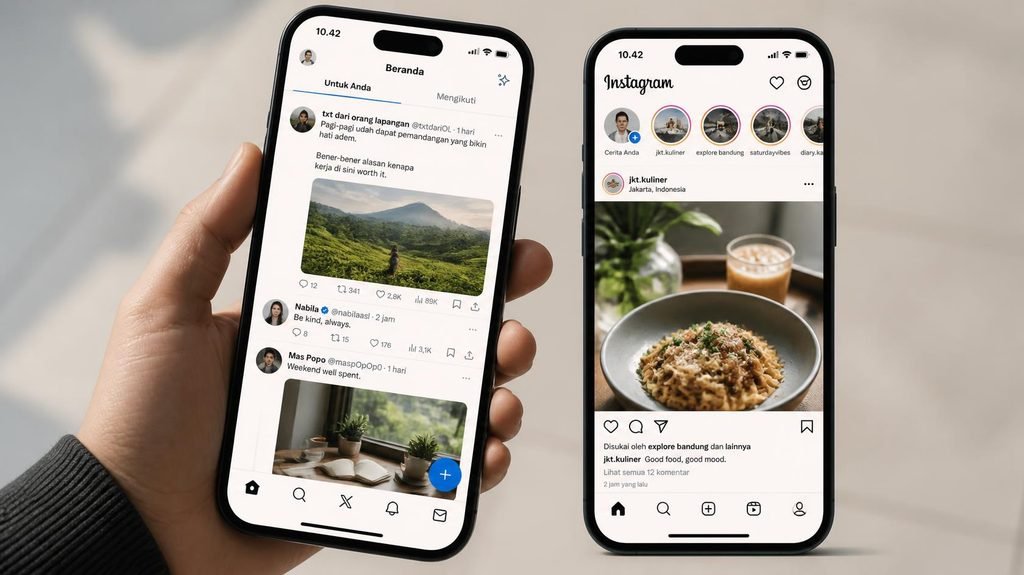
Every phone and laptop ad now screams “120Hz display!” like it’s a miracle. But almost nobody can explain what a hertz actually does — which makes it the perfect upsell: a spec you can’t evaluate, sold on pure fear of missing out.
Let’s fix that with one analogy, then you can decide for yourself whether it’s worth a single dollar.
- ELEVATED DESIGN. EVERYDAY EASE: Galaxy A57 5G features the best of A Series design that’s lighter, slimmer¹ and made to …
- A VIVID VIEWING EXPERIENCE: Dive deeper into your content with the Super AMOLED Plus display² on Galaxy A57 5G that feat…
- SNAP IT. LOVE IT. SHARE IT: The triple-lens camera on Galaxy A57 5G lets you capture everything from low-light videos wi…
The flipbook analogy (everything flows from this):
A screen is a flipbook. Each “page” is a complete image, and flipping pages fast creates motion. A hertz is one flip per second.
- 60Hz = the screen draws a new image 60 times per second.
- 120Hz = 120 times per second — twice the flips, twice the smoothness of motion.
That’s the entire concept. Everything else is just consequences.
What you actually notice with 120Hz:
- Scrolling. This is the big one. On a 120Hz screen, text and photos glide like silk while your finger drags them. On 60Hz, there’s a subtle but real “judder” — once you see it, you can’t unsee it.
- Animations. Menus sliding open, apps zooming in — everything feels more “physical,” like objects with weight.
- Stylus writing. On tablets, the higher rate makes pen-to-screen latency feel dramatically more like real paper.
What 120Hz does NOT do:
- Make Netflix smoother. Movies are filmed at 24 frames per second. Your screen can refresh 120 times a second, but it’s just showing the same movie frame repeatedly. Buying a 120Hz screen for movie night changes nothing.
- Make the internet faster. Websites load at network speed. The screen draws them smoothly after they load.
- Improve photos or text sharpness. That’s resolution — a completely different spec. A 120Hz 1080p screen is not sharper than a 60Hz 1440p screen. Marketers love when you confuse these.
The cost nobody mentions: battery.
Flipping twice as many pages takes twice the energy. This is why phones with 120Hz screens sometimes ship set to 60Hz by default (read your settings!), and why premium phones use “adaptive” displays that drop to 1Hz when idle and spike to 120Hz only while scrolling. If your phone’s battery drains fast, the refresh rate is a minor suspect — the five real causes are in our phone battery myths guide, and refresh rate isn’t one of them.
Where the difference is genuinely huge: PC gaming.
On phones, 60→120 is a comfort upgrade. On gaming PCs, 60Hz→144Hz is a competitive weapon — esports players literally see enemies a few milliseconds sooner. If you play fast competitive shooters on a PC, high refresh is one of the few specs worth real money. For everything else, it’s a luxury.
The honest verdict:
- Can you see the difference? Go to a store and scroll on both. Some people instantly see it; others genuinely don’t. Both answers are valid.
- Is it worth $200+ extra on a phone? For most people: no. For people who scroll for hours daily or write on a tablet: possibly yes.
- Never pay extra for it for video watching or office work — you are paying for smoothness you’ll never see in a spreadsheet.
A smooth screen is lovely. But it’s a nice-to-have wearing the costume of a must-have — and now you know exactly which is which.

- CINEMATIC SOUND FOR MOVIES & MORE: Settle in for movie night and hear more than sound from your TV. The 3.1.2-channel so…
- WIRELESS SUBWOOFER FOR DEEPER BASS: When the soundtrack builds or an action scene hits, the wireless subwoofer adds the …
- Q-SYMPHONY WITH YOUR SAMSUNG TV: Turn on your favorite show and let your compatible Samsung TV and soundbar work togethe…

- SPLIT THE VIEW. MULTITASK¹ TO THE MAX: Productivity never felt this powerful. Use up to three apps¹ at once on the expan…
- MULTITASKING MADE SMARTER WITH AI: Stay one step ahead with AI² that suggests which apps you might need next. Then view …
- ANY SHOT, ALL THE DETAILS: Dive into the details of any image with our best camera on a foldable smartphone. Galaxy Z Fo…
- PRIVACY DISPLAY: Automatically hide your screen from those beside you. The built-in privacy display can be preset¹ to tu…
- TYPE IT IN. TRANSFORM IT FAST: Enhance any shot in seconds on your smartphone by using Photo Assist² with Galaxy AI.³ Ad…
- NIGHTS, CAPTURED CLEARLY: From gigs to city lights, record and capture moments after dark with clarity using Nightograph…
Where You WILL Notice the Difference
There are specific situations where 120Hz genuinely feels noticeably better — and once you’ve used it, going back feels slow:
📱 Phones & Tablets — Most Noticeable Difference
This is where 120Hz shines brightest. Scrolling through social media, swiping between apps, typing — everything happens instantly. The touch response feels tighter, more connected to your finger. Because you interact directly with the screen constantly, this is the upgrade most people truly appreciate.
🎮 Fast-Paced Gaming
Competitive games — shooters, racing, fighting — benefit most. At 120Hz, moving targets stay clearer, animations update faster, and your inputs register sooner. It won’t make you a pro overnight, but it removes the slight lag that can feel like a delay between what you do and what happens on screen.
💻 High-Speed Video & Sports
Live sports, fast action movies, and documentaries filmed at higher frame rates look smoother and more lifelike at 120Hz. Ball movement is clearer, panning shots don’t strobe, and motion feels less “choppy.”
🧐 Where You WON’T Notice — or It Barely Matters
Here is the part most reviews skip: for many everyday tasks, 60Hz is still perfectly fine. You might not even be able to tell the difference:
📖 Reading, Writing, Browsing
If you spend most of your time reading articles, typing documents, managing spreadsheets, or watching standard 24fps movies — 120Hz adds almost nothing. The text doesn’t look sharper. Pages don’t load faster. The screen refreshes twice as often, but what you’re looking at isn’t moving — so your eyes see no real improvement.
🎬 Standard Movies & Most Streaming Content
Nearly all movies and TV shows are filmed at 24 or 30 frames per second. Even on a 120Hz screen, the content itself hasn’t changed — your TV or phone simply repeats frames to fill the gap. It can smooth things out, but many people find that effect unnatural — like a soap opera or cheap home video. That’s not better quality — that’s processing.
🔋 Battery Life — The Hidden Trade-Off
Here is the real cost nobody highlights: running 120Hz uses noticeably more power. The screen is working twice as hard, every second, all day. On phones and laptops, that translates into 1–2 hours less battery life— sometimes more. Many devices automatically drop back to 60Hz when your battery is low — that tells you exactly how much extra energy it consumes.
✅ Simple Decision Guide: Which Should You Choose?
Table
| Use Case | Stick with 60Hz ✅ | Get 120Hz ✅ | Why |
|---|---|---|---|
| Reading, writing, office work | ✅ | — | No visible difference; saves battery |
| Casual browsing & social media | — | ✅ | Smoother scrolling feels nicer long-term |
| Competitive gaming | ❌ | ✅ | Clearer motion, faster response |
| Watching movies/TV | ✅ | — | Content is mostly 24–30fps anyway |
| Sports & fast action video | — | ✅ | Smoother movement is genuinely clearer |
| Battery life is your top priority | ✅ | — | 60Hz = longer runtime between charges |
- SPLIT THE VIEW. MULTITASK¹ TO THE MAX: Productivity never felt this powerful. Use up to three apps¹ at once on the expan…
- MULTITASKING MADE SMARTER WITH AI: Stay one step ahead with AI² that suggests which apps you might need next. Then view …
- ANY SHOT, ALL THE DETAILS: Dive into the details of any image with our best camera on a foldable smartphone. Galaxy Z Fo…
💡 Final Thought
120Hz is genuinely better — but it’s not always necessary. It’s not a trick or a scam — it’s real technology that improves motion smoothness and touch response. But like any feature, it comes with trade-offs: higher price, shorter battery life, and zero benefit for many tasks.
The smart approach? Match the screen to what you actually do.
- If you game competitively or scroll constantly on your phone → 120Hz is absolutely worth it.
- If you mostly read, work, watch movies, or care most about battery life → save your money — 60Hz is still excellent.
Don’t let marketing convince you that what you’ve been using for years is suddenly “bad.” 60Hz served us perfectly well for decades — and for most people, it still will. The best screen isn’t the one with the biggest number — it’s the one that fits how you actually use your device.
Affiliate link — “Earns commission at no extra cost to you.